Best Seller Icon Bestseller

Basics In Computer Course (BCC)(M-CC(-4369)

  • Last updated Oct, 2025
  • Certified Course
Video Images
Preview this course
โ‚น1,000 โ‚น3,000
  • Duration3 Months
  • Enrolled7
  • Lectures20
  • Videos0
  • Notes0
  • CertificateYes

What you'll learn

๐Ÿ–ฅ๏ธ Basic Computer Course (BCC) โ€“ Syllabus

Course Duration: 2 to 3 Months

Eligibility: 8th / 10th Pass or Above

Mode: Offline / Online

Subjects Covered

1. Introduction to Computer

  • What is Computer
  • History & Generation of Computer
  • Characteristics and Limitations of Computer
  • Types of Computers
  • Applications of Computer in Daily Life

2. Computer Components

  • Hardware and Software
  • Input, Output, Storage Devices
  • CPU, Monitor, Keyboard, Mouse
  • Peripheral Devices

3. Operating System (Windows)

  • Desktop, Taskbar, Icons
  • File & Folder Management
  • Copy, Paste, Rename, Delete
  • Control Panel and Settings
  • Using Notepad, Paint & Calculator

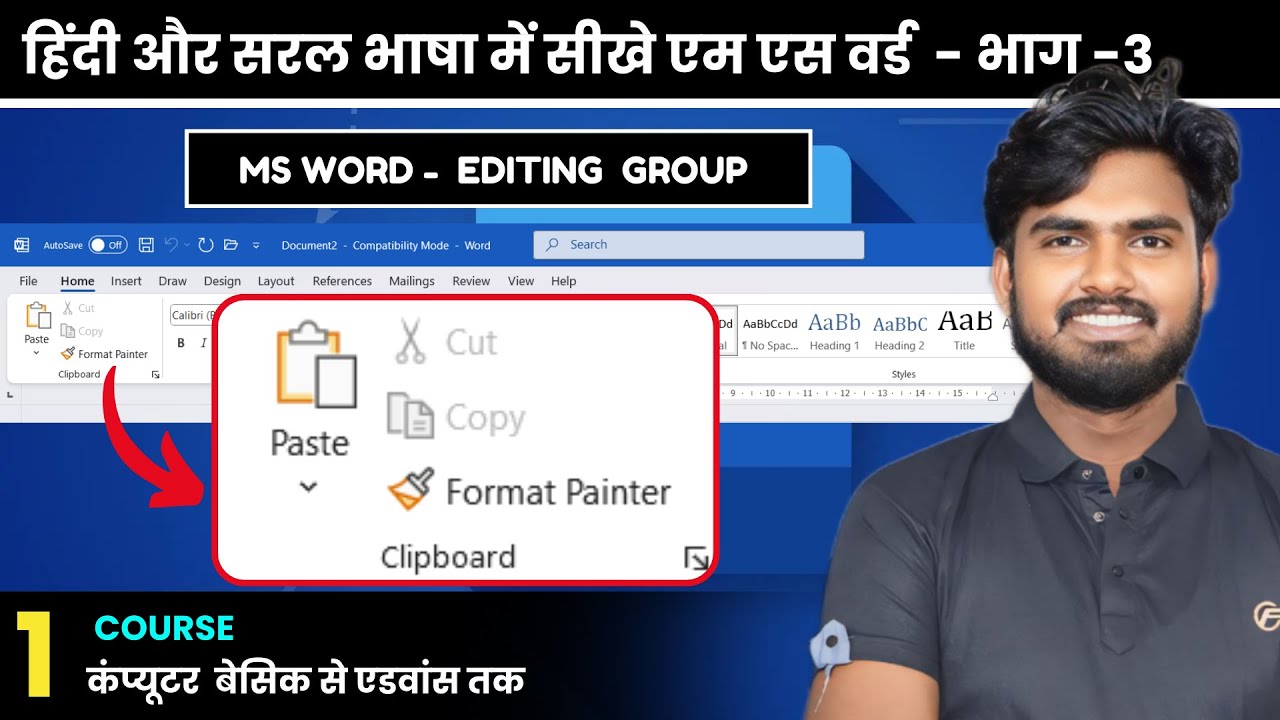
4. MS Word (Basics)

  • Creating, Opening & Saving Documents
  • Typing and Text Formatting
  • Inserting Images & Tables
  • Printing Documents

5. MS Excel (Basics)

  • Understanding Rows, Columns & Cells
  • Simple Calculations (Addition, Subtraction, etc.)
  • Using Basic Formulas
  • Creating Simple Tables

6. MS PowerPoint (Basics)

  • Creating Simple Presentations
  • Inserting Text & Images
  • Slide Transitions & Animations

7. Internet & Email

  • Introduction to Internet
  • Using Web Browsers (Google Chrome)
  • Searching Information Online
  • Creating & Using Email (Gmail)
  • Online Forms & Attachments

8. Computer Security & Digital Awareness

  • Understanding Viruses & Antivirus
  • Safe Internet Practices
  • Introduction to Digital Payments (UPI, Net Banking)

9. Practical Project

  • Typing Practice (Notepad / Word)
  • Data Entry (Excel)
  • Presentation (PowerPoint)

10. Examination

  • Theory: 30 Marks
  • Practical: 70 Marks
  • Total: 100 Marks


Show More

Course Syllabus

๐Ÿ–ฅ๏ธ Basic Computer Course โ€“ Syllabus

๐Ÿ“˜ Module 1: Introduction to Computer

  • Definition and Characteristics of Computer
  • History & Generation of Computers
  • Types of Computers (Analog, Digital, Hybrid)
  • Applications of Computer in Daily Life
  • Input, Output and Storage Devices

๐Ÿ“— Module 2: Operating System (Windows)

  • Introduction to Windows
  • Desktop, Icons and Taskbar
  • File and Folder Management
  • Control Panel & System Settings
  • Using Accessories (Paint, Notepad, Calculator, WordPad)

๐Ÿ“™ Module 3: MS Word

  • Introduction to Word Processing
  • Creating, Opening, and Saving Documents
  • Formatting Text and Paragraphs
  • Inserting Tables, Pictures, and Shapes
  • Page Setup and Printing

๐Ÿ“’ Module 4: MS Excel

  • Introduction to Spreadsheets
  • Rows, Columns, and Cells
  • Data Entry and Formatting
  • Formulas and Basic Functions (SUM, AVERAGE, MAX, MIN)
  • Charts and Graphs

๐Ÿ“• Module 5: MS PowerPoint

  • Introduction to Presentations
  • Creating Slides and Layouts
  • Inserting Text, Images, and Shapes
  • Applying Transitions and Animations
  • Slideshow Presentation

๐Ÿ““ Module 6: Internet & Email

  • Introduction to Internet
  • Web Browsers (Google Chrome, Edge)
  • Search Engines (Google Search)
  • Creating and Using Email (Gmail, Outlook)
  • Downloading and Uploading Files
  • Online Form Filling

๐Ÿ“” Module 7: Computer Security & Digital Awareness

  • Computer Viruses and Antivirus
  • Safe Browsing Practices
  • Data Backup and Privacy
  • Introduction to Digital Payments (UPI, Net Banking)

๐Ÿ“˜ Module 8: Practical Project

  • Document Creation (MS Word)
  • Data Entry Sheet (MS Excel)
  • Presentation (MS PowerPoint)

๐Ÿงพ Examination Pattern


Total100 Marks

Course Fees

Course Fees
:
โ‚น3000/-
Discounted Fees
:
โ‚น 1000/-
Course Duration
:
3 Months

Review

0.0
Course Rating (0 reviews)
0%
0%
0%
0%
0%